💬
Messages and emails
Paste suspicious texts, emails, marketplace offers, payment requests, and job messages for analysis.

Use the Web Version: Anti Scam Wizard
Think before you clickAntiScam Wizard checks texts, emails, website links, screenshots, and QR codes for phishing and scam warning signs, then explains what it found in plain English.
Use the Web Version: Anti Scam Wizard
Built for Android • Clear results • Practical next steps
AntiScam Wizard looks for combinations of warning signs and gives you evidence you can understand, not just a vague alert.
Paste suspicious texts, emails, marketplace offers, payment requests, and job messages for analysis.
Check URLs, shortened links, unusual domains, and the context surrounding a request before visiting.
Extract and analyze readable text from screenshots, including messages that are difficult to copy and paste.
Scan a QR code and inspect its destination instead of opening an unknown link without context.
See the risk level, category, confidence, evidence found, and practical steps you can take next.
Share a warning to help someone else while dangerous links and sensitive details are removed automatically.
You do not need to understand cybersecurity terminology. AntiScam Wizard translates the evidence into practical guidance.
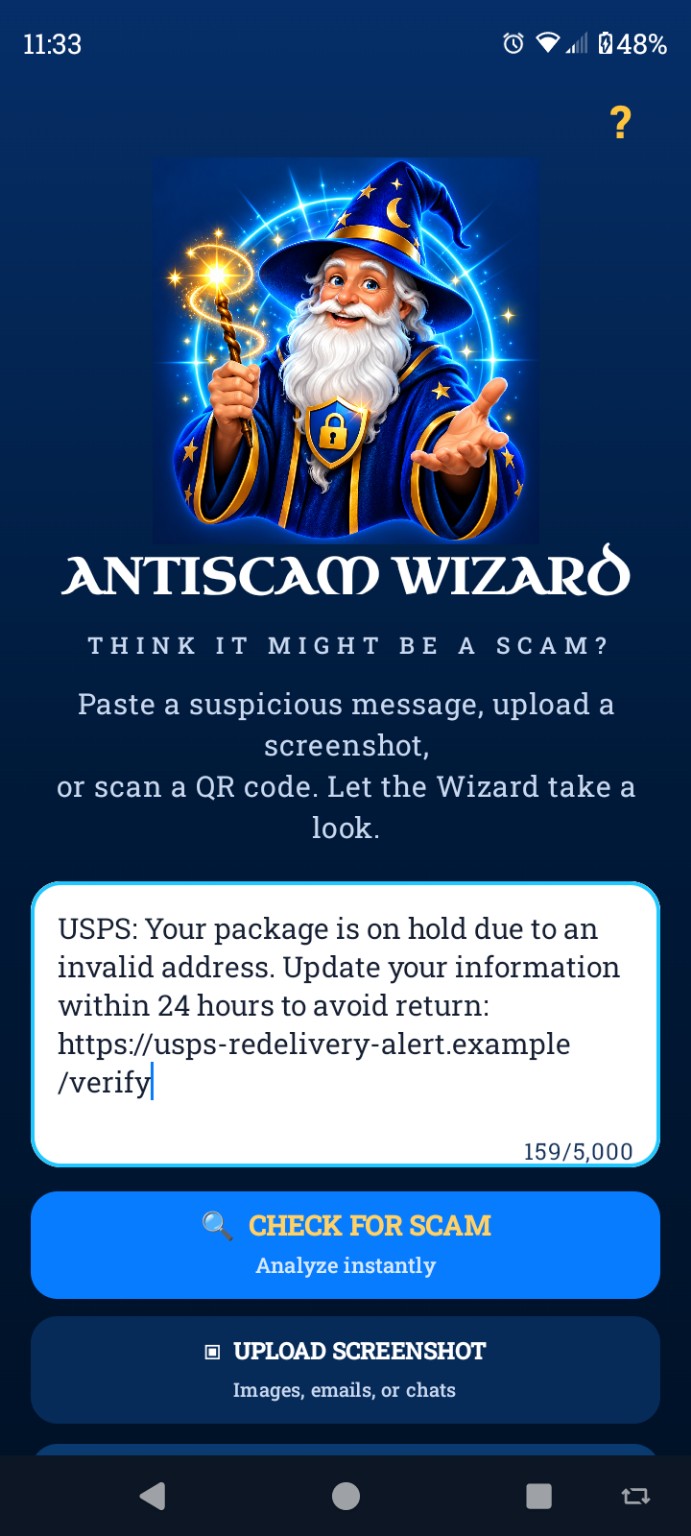 1
1
Paste a message or link, upload a screenshot, or scan a QR code.
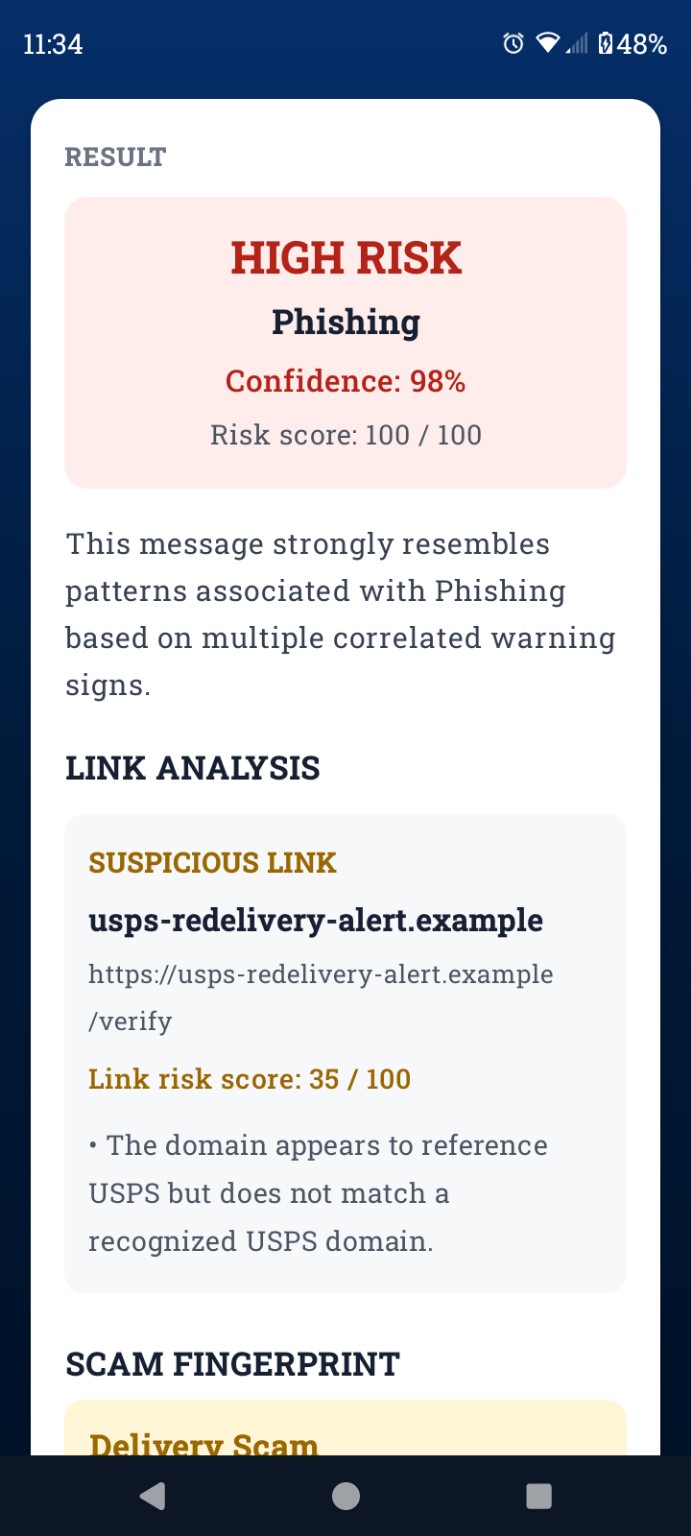 2
2
See the warning signs, risk level, likely scam category, and confidence.
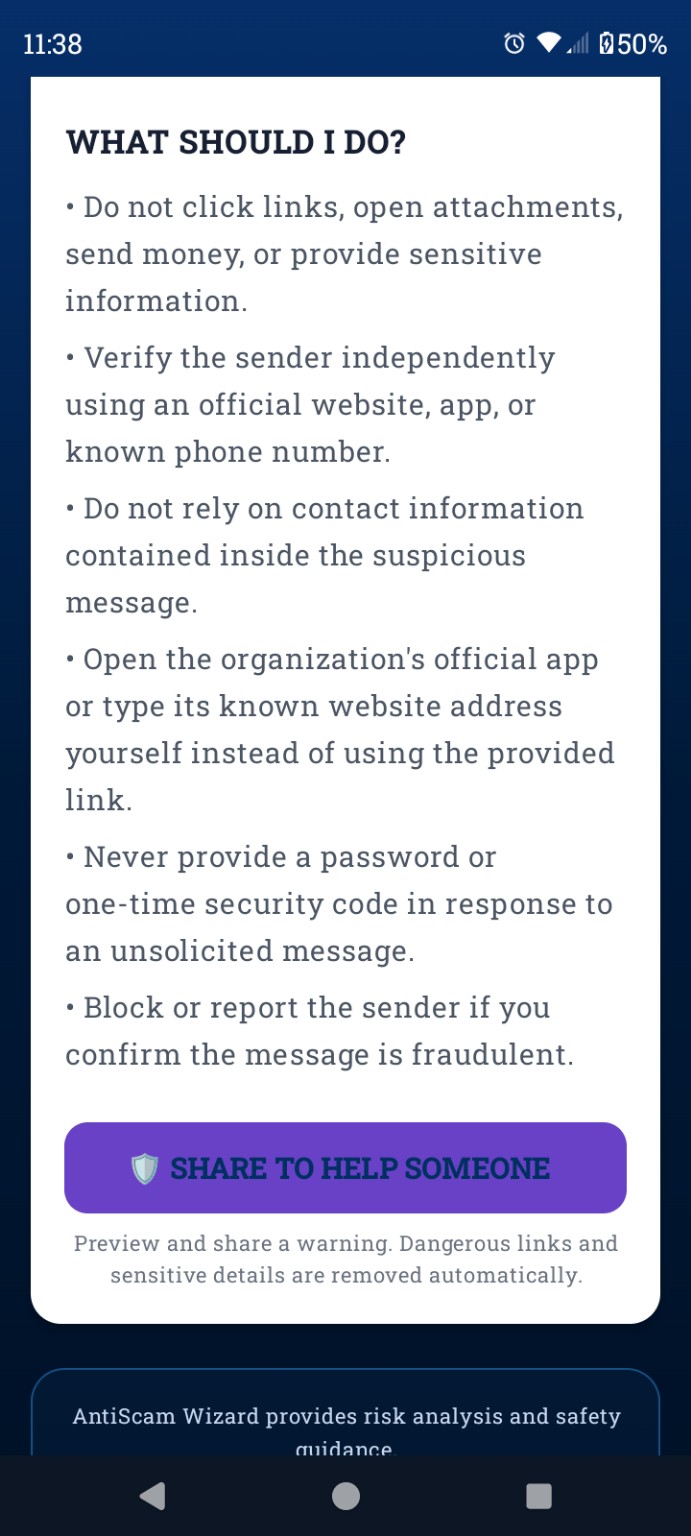 3
3
Follow clear next steps, verify independently, or share a sanitized warning.
Scam detection is not perfect. AntiScam Wizard is designed to show its reasoning, distinguish uncertainty from strong evidence, and help you make a better-informed decision.
Evidence explained: Understand which behaviors and requests increased the risk.
Uncertainty acknowledged: “Unknown” is used when there is not enough evidence for a confident conclusion.
Independent verification: Guidance encourages checking through official websites, apps, or known phone numbers.
Use AntiScam Wizard whenever a message, link, screenshot, offer, or QR code does not feel right.
▶ Download on Google PlayAvailable for Android. Google Play and the Google Play logo are trademarks of Google LLC.
Quick answers about checking suspicious texts, phishing links, screenshots, and QR codes.
AntiScam Wizard can analyze suspicious text messages, emails, website links, screenshots with readable text, marketplace offers, payment requests, job messages, and QR-code destinations for common scam and phishing warning signs.
No automated scam detector can guarantee that a message is legitimate or fraudulent. AntiScam Wizard explains the evidence it finds, shows uncertainty when evidence is limited, and recommends independent verification through an official website, app, or trusted phone number.
No. Avoid opening an unfamiliar link just to investigate it. Copy the link without visiting it when possible, then verify the sender and destination independently.
The QR code checker lets you inspect a code’s destination and surrounding context before choosing whether to open the link. A QR code can hide a misleading or unexpected website address.
Do not click its links, open attachments, send money, or provide passwords or security codes. Contact the organization through its official app, website, or a phone number you already trust, then block or report the sender when appropriate.
AntiScam Wizard processes information you choose to submit so it can provide risk analysis and safety guidance. Do not submit passwords, one-time security codes, financial account numbers, recovery phrases, Social Security numbers, or other highly sensitive information.
No automated system can guarantee that a message is legitimate or fraudulent. Results are informational and should be combined with independent verification. When money, accounts, identity, or personal safety may be involved, contact the organization using an official website, app, or trusted phone number.